

Tables and rooms
Visual floor plan by area (dining room, terrace, bar) with free/occupied/reserved statuses. Merge and transfer tables.
Tables, order pad, kitchen, till, bookings and online orders in a single system. Open it in the browser of any tablet, mobile or computer and start today.
These are the modules TPVRest includes today. No paid extras and no user limit.
Visual floor plan by area (dining room, terrace, bar) with free/occupied/reserved statuses. Merge and transfer tables.
Take orders on tablet or mobile with photos, modifiers (meat doneness, extras) and notes per dish.
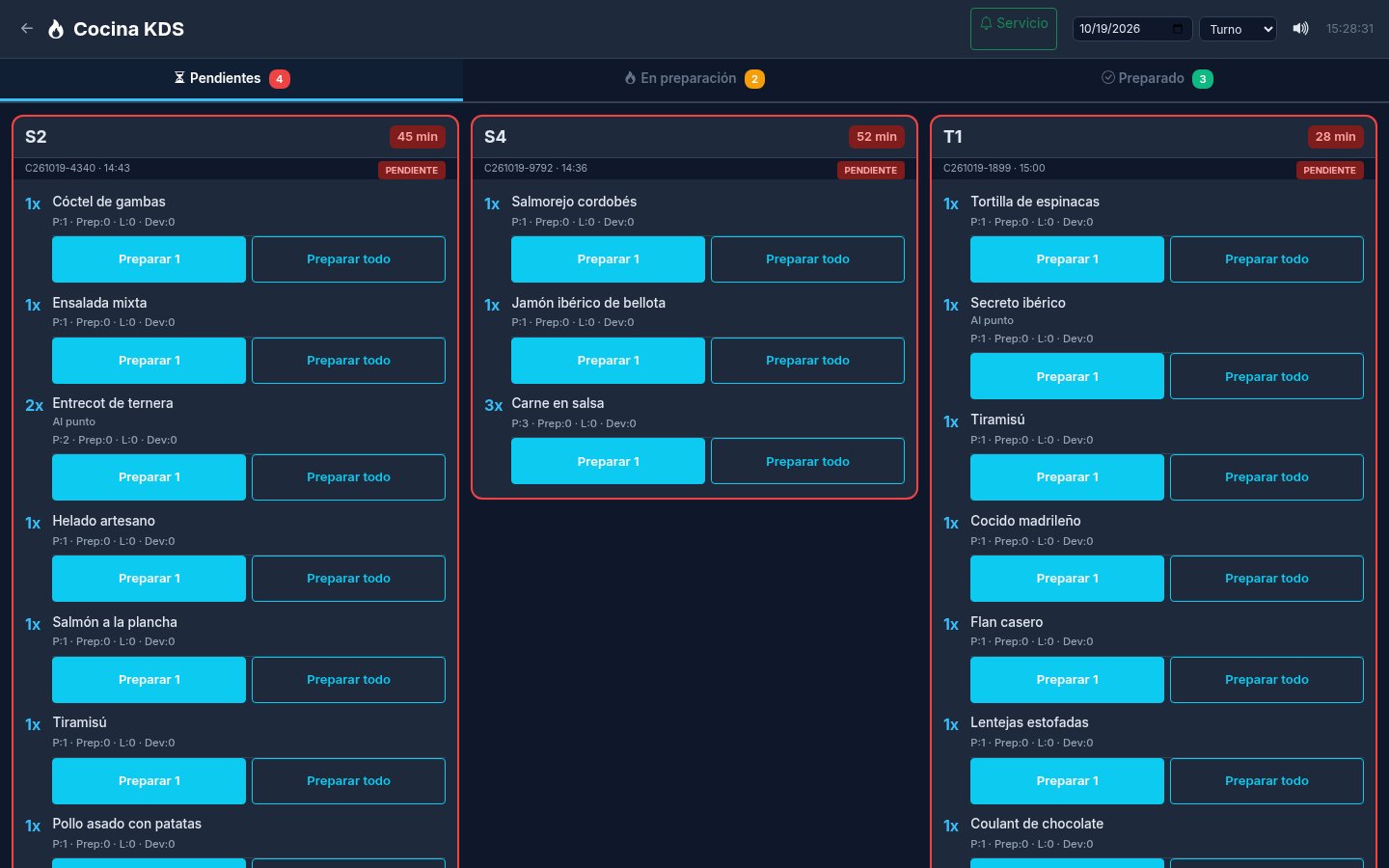
Kitchen screen with timings, per-item statuses (pending, preparing, ready) and returns.
Each product goes to its zone: kitchen or bar. Each team sees only their own items.
Alerts for dishes ready to be taken to the table and customer calls such as «ask for the bill».
Cash, card and Bizum; Stripe and Redsys optional. Split bills, tips, partial payments and end-of-day close.
Numbering series, customer invoices with tax details, PDF and a chained SHA-256 fingerprint on every document.
Booking diary by day and time with table, covers, notes and statuses (confirmed, attended, no show).
Orders for collection, delivery or from the table via QR. They go to the kitchen with one click.
Public menu with photos, allergens and search, always up to date with your products.
Stock per product, low-stock alerts, suppliers, purchases and stock movements.
Sales by day and month, products, staff and estimated profit. Export to Excel or PDF.
Summary by VAT rate, charges by method and payment statuses for your accountant.
Records with NIF and address for invoicing, quotes and delivery notes.
Staff clock-in and clock-out with regular and overtime hours.
Admin, manager, waiter and kitchen, each with their own permissions and manual.
Network ESC/POS thermal printer (port 9100) for receipts and kitchen orders.
Generate dish descriptions and images with AI (requires your xAI key).
From sign-up to taking your first order in a few minutes.
Enter your name, your business name and the web address you want for your POS.
Click the link we sent you. That's how we know it's you.
Your POS starts with 30 days free. Sign up whenever you want from 16.00 €/month.
You receive access by email. Create your menu, your tables and your users and start selling.
Images from the public demo restaurant. Click to enlarge.
An AI assistant inside your POS: you write instructions just as you'd tell a manager, and it does them for you. It opens tables, sends orders to the kitchen, checks the till, creates reservations, changes prices or reviews the inventory.
VAT included · no lock-in · no sign-up fee
No card needed to try. If a payment fails you have 7 days of grace.
VAT included · no lock-in · no sign-up fee
AI top-up: 10 € VAT incl., one-off payment (not a subscription) and it is kept until used up. Confirmation before each change and a log of all actions.
No. You sign up, confirm your email and your POS is created instantly with 30 days of free trial. You only pay if you decide to subscribe.
The POS locks and shows the subscription screen. Your menu, tables, sales and invoices are kept: as soon as you pay, it goes back to working exactly as you left it.
Two plans, VAT included and no sign-up fee: TPVRest for 16.00 €/month with all modules, users and devices, and TPVRest AI for 39.00 €/month, which also includes the AI assistant to run the POS with written commands.
It understands commands in normal language («open table 3 with two coffees», «how much have we sold today?») and executes them in your POS respecting each user's permissions. Before changing anything it asks for confirmation, and everything is logged. It works with text (it does not generate images or audio). The 30 day trial includes it.
Yes. The TPVRest AI plan includes a monthly AI allowance for the assistant (the 30-day trial included); as a reference, it covers around 2,000 normal commands a month, depending on how long they are. In «My account» and in the assistant itself you can see how much you have left as a percentage, and we'll notify you when it drops below 20%. The included allowance renews with each month of your plan and does not carry over from one month to the next.
The assistant pauses until the next month; the POS keeps working as normal. If you want to keep using it, you can top up AI for 10 € (VAT included): it's a one-off payment with Mollie, not a subscription, and adds the same AI usage your plan includes in a month. Top-ups are kept until you spend them.
Yes, from «My account» at any time. The change takes effect instantly on your POS and on your next monthly charge.
No. It renews every month and you can cancel whenever you like by writing to info@tpvrest.com.
Your POS keeps running for 7 days with a notice so you can update your payment. If it isn't completed, it gets locked without deleting any data.
All you need is an up-to-date browser: PC, laptop, tablet or mobile. It can be installed as an app (PWA) and works with network ESC/POS receipt printers.
Yes. The public demo has a sample restaurant with a menu, tables, orders, bookings and 30 days of sales. It resets every night.
With Mollie, by card. The charge is renewed automatically every month.
Create your POS for free in a few minutes. If you like it, continue for 16.00 €/month.